Obtaining Your Server Code
Log in here. If you don’t have an account, you can register for one.
1) To obtain the appropriate server code for your licenses, you must determine the MAC Address of the physical ethernet device for your machine and then set the GHS_LM_EXPECTED_MAC environment variable to that hardware MAC address.
- To determine which MAC Address is tied to the physical ethernet device, use the "ifconfig -a" command (Linux), "ipconfig /all" command (Windows) or contact your IT Department.
- Once the MAC Address is determined for the ethernet hardware, set the GHS_LM_EXPECTED_MAC environment variable using an appropriate method for the host OS with one of the following MAC address formats:
- B8-AC-6F-97-5A-5F or B8:AC:6F:97-5A:5F
2) Next, run the servecode executable from your MULTI installation. This is a command line program, so you’ll need to open a shell (on UNIX) or a command prompt (on Windows), then navigate into the directory from which you plan to run MULTI or the license server.
- If you plan to use Elan (legacy) licenses, run
servecode -lto obtain the server code. - If you plan to use GHS licenses, run servecode with the parameters according to the version of MULTI/Compiler you have installed:
MULTI 7 and earlier or Compiler v2018.1.4 and earlier, enter this command within the shell or command prompt:
servecode -g -v
MULTI 8 and Compiler v2018.5.4 and later, enter this command within the shell or command prompt:
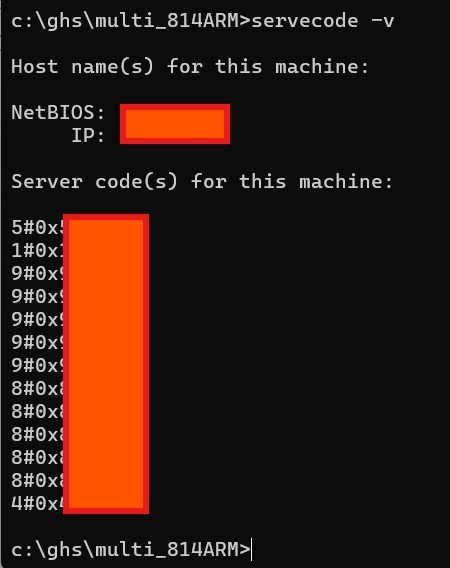
servecode -v
The image below shows the redacted output of running 'servecode -v' in the MULTI 8.1.4 directory on Windows.